
Signals from the park assist system

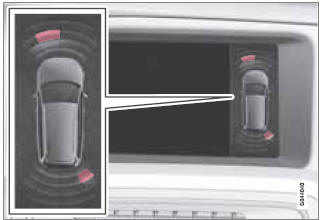
View in the display (warning for objects front left/right rear)
See also:
Fuses in the engine compartment
When replacing fuses, be sure to replace a
blown fuse with a new one of the same color
and amperage (written on the fuse).
...
Situations where ACC may not function optimally
WARNING
The radar sensor has a limited field of vision. In some situations it may
detect a vehicle later than expected or not detect other vehicles at all.
If ACC is not functioning prop ...
Interior design
'At only 4.26 metres long, the C30 is not a big car, but its spacious cabin
gives it a real big car feel,' says Mr Abrahamsson, Volvo C30 project director.
Volvo's iconic 'floating' centre console ...