
Signals from the park assist system

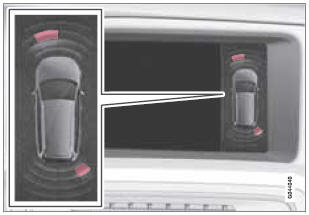
View in the display (warning for objects front left/ right rear)
See also:
Bluetooth® functions in the center console control panel
Character keys containing letters and numbers for dialing numbers, adding
phone book entries, etc.
TEL: Press this button to activate/deactivate the Bluetooth function.
TUNE: Turn to navig ...
Accept vCards
vCards from other cell phones can be added to the infotainment system's phone
book. To enable this feature, put the infotainment system in discoverable mode for
Bluetooth. The featur ...
Convertible seats
Securing a convertible seat with a seat
belt
Do not place the convertible seat in the front passenger's
seat
NOTE
Refer to page 48 and page 50 for information
on securing a child restraint usi ...