
Heated front seats

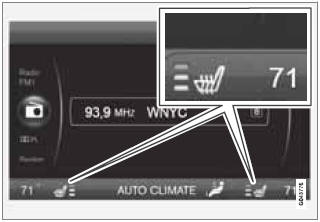
The current seat temperature is shown in the center console display
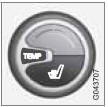
Press the button once for the highest heat level – three indicator lights come on.
Press the button twice for a lower heat level – two indicator lights come on.
Press the button three times for the lowest heat level – one indicator light comes on.
Press the button four times to switch off the heat – no indicator lights come on.
Seat heating will automatically switch off when the engine is switched off.
See also:
Ignition mode II
- With the remote key fully pressed into the
ignition slot, press START/STOP
ENGINE for approximately 2 seconds. ...
Uniform Tire Quality Grading
Quality grading information
ALL PASSENGER VEHICLE TIRES MUST
CONFORM TO FEDERAL SAFETY
REQUIREMENTS IN ADDITION TO THESE
GRADES
Quality grades can be found, where applicable,
on the tire sid ...
Six-cylinder turbo engine
The 3-litre, six-cylinder turbo engine is transversely mounted and very
compact. The engine delivers 285 horsepower and 400 Nm of torque, from low up to
high revs. The turbo-six provides a high le ...