
Checking and adding oil
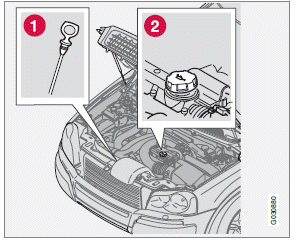
Location of dipstick (1) and oil filler cap (2)
The oil level should be checked at regular intervals, particularly during the period up to the first scheduled maintenance service.
• The vehicle should be parked on a level
surface when the oil is checked.
• If the engine is warm, wait for at least
10-15 minutes after the engine has been
switched off before checking the oil.
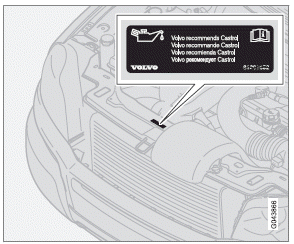
Volvo recommends Castrol oil produ
Checking the oil
• Pull out the dipstick and wipe it with a lintfree
rag.
• Reinsert the dipstick, pull it out, and check
the oil level.
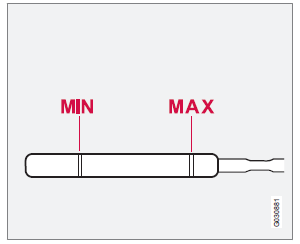
• Add oil if necessary. If the level is close to
the MIN mark, add approximately
0.5 US quarts (0.5 liters) of oil.
• Recheck the level and add more oil if necessary
until the level is near the MAX mark.
• Oil level should be between the MIN and
MAX marks on the dipstick.
CAUTION
Not checking the oil level regularly can result
in serious engine damage if the oil level
becomes too low.
• Never fill oil above the MAX mark. This
could cause an increase in oil consumption.
• Not checking the oil level regularly can
result in serious engine damage if the oil
level becomes too low.
• Always add oil of the same type and
viscosity as already used.
WARNING
Do not allow oil to spill onto or come into
contact with hot exhaust pipe surfaces.
See also:
Polishing and waxing
Normally, polishing is not required during the first year after delivery,
however, waxing may be beneficial.
Before applying polish or wax the vehicle must be washed and dried. Tar
spots ca ...
Activating/deactivating warning signals
The collision warning system’s visual signals are activated automatically when
the engine is started if the collision warning system is switched on.
The audible warning signal can be activated/ dea ...
The camera’s limitations
The camera is used by Collision Warning with
Auto-brake, Driver Alert Control (see
page 180), and Lane Departure Warning (see
page 183).
NOTE
• To help protect the camera in very hot
conditi ...