
Security
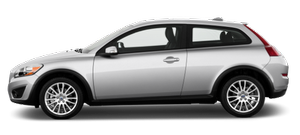
The Volvo C30's security systems were developed in association with the security experts at Thatcham. The C30 is fitted with a wide range of features designed to protect against burglary, theft or assault. An electronic immobiliser makes it impossible to start the car without the correct key, whilst deadlocks make it difficult to break in. The car is identified with 'anti-theft' markings, and the audio equipment is an integral part of the on-board electronics.
The sophisticated locking system can be individually programmed via the car's menu system so that a single 'blip' opens all the doors or just the driver's. The doors can be locked automatically as the car pulls away.
The 'home safe and approach' lighting system enables the driver to turn on inside lights, side marker lights and rear view mirror lights as he or she approaches. When leaving the car, the headlamps can light the path to the front door before automatically switching off.
The 'Volvo On Call' system is an advanced telematics programme that uses the integrated mobile phone and the built-in GPS satellite unit to ensure help is at hand. If an airbag is deployed in an accident, the Volvo On Call system automatically rings the emergency services. The satellite tells of your precise location even if the driver is unable to. Pressing the red SOS button on the integrated phone puts you straight through to the emergency services. If the car breaks down, the 'Volvo On call' button puts you straight through to a Volvo operator. Vehicle tracking is also available.
See also:
Manually opening the fuel filler door
If necessary, the fuel filler door can be opened manually:
1. Open the side hatch in the trunk (on the same side as the fuel filler door).
2. Grasp the green cord with a handle.
3. Gently pull th ...
Rear fog light
The single rear fog light is located in the driver's side taillight cluster.
The rear fog light will only function in combination with the high/low beam headlights.
Press the button to switch ...
Handling, roadholding
Vehicle load, tire design and inflation pressure all affect vehicle handling.
Therefore, check that the tires are inflated to the recommended pressure according
to the vehicle load. See the " ...