
Operation

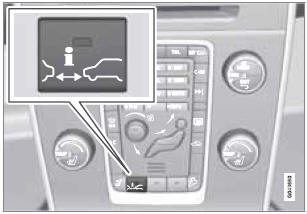
Press the button in the center instrument panel to switch this function on or off. The indicator light in the button illuminates when the function is on.
Depending on the optional equipment selected, there may not be room for a Distance Alert button in the center console. In this case, the function is controlled through the menu system. Press MY CAR and go to Settings - Car settings - Distance alert - On/Off.
See also:
Brake lights
The brake lights come on automatically when the brakes are applied.
Adaptive brake lights
The adaptive brake lights activate in the event of sudden braking or if the ABS
system is activated. This ...
Queue Assist*
The following functions are linked to your vehicle's automatic transmission and
comprise the Queue Assist feature.
Please note that the lowest speed that can be set is 18 mph (30 km/h), althoug ...
Advanced settings
Angle
If the DVD supports this function, it is possible
to select a camera angle for a certain scene. This can be done in DVD mode under
DVD root
menu
Advanced settings
Angle.
DivX Vid ...