
Air distribution

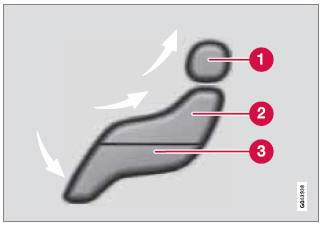
1 - Manual air distribution—defroster
2 - Manual air distribution—dashboard
air vents
3 - Manual air distribution—floor
The figure consists of three buttons. When a button is pressed, the corresponding figure will appear in the display with an arrow indicating which manual air flow has been selected (see the following illustration). See also the air distribution chart on page 146.
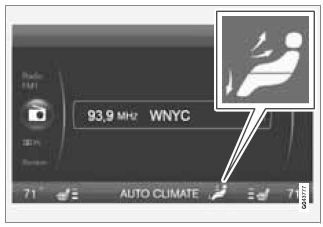
Air distribution is shown in the center console display
See also:
Faults in the system
If the information symbol illuminates and Park
assist syst Service required is shown on the
information display, this indicates that the system
is not functioning properly and has been
disenga ...
Scan
The function automatically searches the current waveband for radio stations.
When a station is found, it is played for several seconds before scanning is resumed.
While the station is playing it c ...
Reprogramming a Single HomeLink Button
To program a device to HomeLink using a
HomeLink button previously trained, follow
these steps:
1. Press and hold the desired HomeLink button.
DO NOT release the button.
2. The indicator light ...