
Temperature control

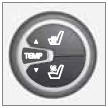
The temperatures on the driver and passenger sides can be set separately. When the vehicle is started, the most recent setting is resumed.
NOTE
Heating or cooling cannot be speeded up by
selecting a higher/lower temperature than
the actual temperature required.
See also:
Polishing and waxing
• Normally, polishing is not required during
the first year after delivery, however, waxing
may be beneficial.
• Before applying polish or wax the vehicle
must be washed and dried. Tar spots ca ...
Exterior
Volvo XC60 has a characteristic XC design language, with a blend of
passenger- and coupe-like car shapes - including a touch of well-known Volvo
design elements. The formula-drive stance, with big ...
Changing the set speed
After a speed has been set, it can be increased or decreased by using the
or
buttons. Each time one of these buttons
is pressed, the vehicle's speed changes by 5 mph (approximately 8 km/h).
...