
Driving Dynamics: Chassis
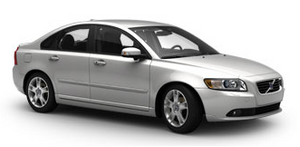
The Volvo S40 combines an engaging, dynamic driving experience with a high level of active safety, thanks to its sophisticated suspension system, high level of torsional rigidity, wide track and the latest electronic stability systems.
"A modern Volvo should obey the driver's slightest command - immediately and without fuss," says Peter Ewerstrand, the Volvo S40 project manager. "It should be as enjoyable to drive as it is safe. We had particularly high ambitions for the Volvo S40 and we're more than pleased with the result. This is a car you'll truly look forward to driving whenever you get the chance."
The body of the current Volvo S40 is 68 per cent stiffer than that of the original thanks to advanced body design and the use of high-strength materials, including Ultra High Strength Boron Steel. This high level of torsional rigidity allows the suspension to do its job properly and its provision was integral to the Volvo S40's design. It benefits not only the ride and handling characteristics, but also its crashworthiness.
A further contribution to the Volvo S40's exceptional stability is provided by the wide track (1535mm front, 1531mm rear) and long wheelbase (2640mm). The former helps improve the car's balance, enabling it to cope with high cornering forces, while providing clear and consistent feedback to the driver. The long wheelbase, meanwhile, contributes to a balanced weight distribution with a low minimal moment of inertia. In practical terms, this enhances the steering response and helps ensure that the Volvo S40 responds in a controlled, predictable manner in all circumstances, making a major contribution to active safety.
See also:
Overview
At its launch in early 2006, the Volvo C70 broke new ground as the world's
first four seater convertible with a retractable hard top. Now, more than three
years on, the new Volvo C70 coupe/convert ...
MY CAR
When the MY CAR symbol has been selected, the following menu alternatives are
displayed.
My S60
Support systems
Settings
My S60
The display shows all of the vehicle's driver su ...
Brake Support
If the risk of collision continues to increase after the collision warning has
been given, Brake Support is activated. Brake Support prepares the brake system
to react quickly, and the brakes are ...