
Heated front seats

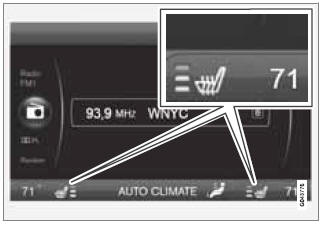
The current seat temperature is shown in the center console display
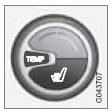
Press the button once for the highest heat level – three indicator lights come on.
Press the button twice for a lower heat level – two indicator lights come on.
Press the button three times for the lowest heat level – one indicator light comes on.
Press the button four times to switch off the heat – no indicator lights come on.
Seat heating will automatically switch off when the engine is switched off.
See also:
Tire Pressure Monitoring System (TPMS)
Introduction
NOTE
USA – FCC ID: KR5S122780002
This device complies with part 15 of the
FCC rules. Operation is subject to the following
conditions: (1) This device may not
cause harmful inter ...
Image settings
Screen settings can be made for brightness,
contrast, tint and color.
Press on the remote control and
change
the setting under Image settings on the
screen. See also page 251 for additional ...
Opening/closing the hood
Opening the hood
1. Pull the lever located under the left side of
the dashboard to release the hood lock.
2. Lift the hood slightly.
3. Press up the release control located under
the front edge ...