
Instrument overview

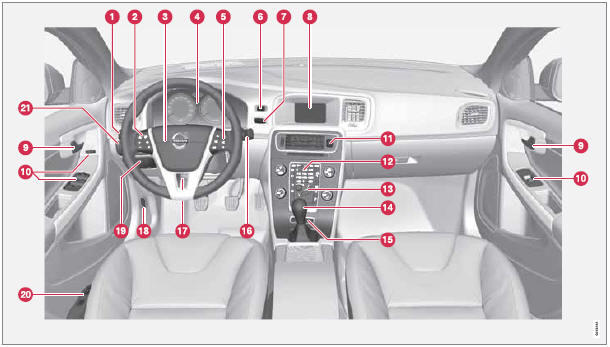
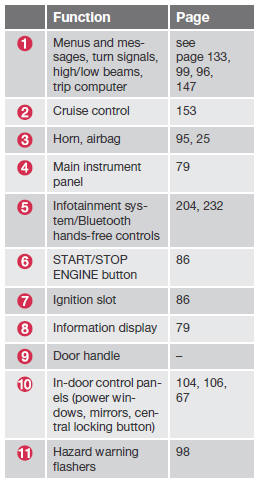
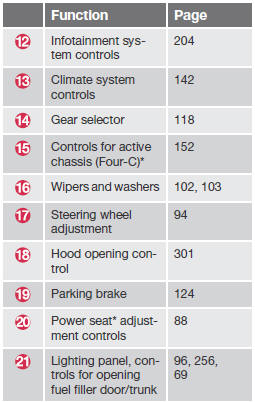
See also:
Owner maintenance
Periodic maintenance requirements and intervals
are described in your vehicle's Warranty
and Service Records Information booklet.
The following points can be carried out
between the normally sc ...
Fuel requir
Deposit control gasoline (detergent
additives)
Volvo recommends the use of detergent gasoline
to control engine deposits. Detergent
gasoline is effective in keeping injectors and
intake valves cl ...
Limitations
Distance Alert uses the same radar sensor
used by Adaptive Cruise Control and the Collision
Warning system. See page 159 for more
information on the radar sensor’s limitations.
NOTE
Strong sun ...