
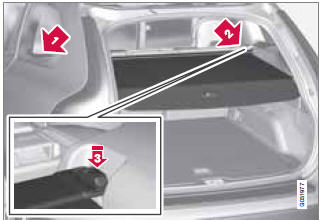
Cargo area cover

See also:
Accept vCards
vCards from other cell phones can be added to the infotainment system's phone
book. To enable this feature, put the infotainment system in discoverable mode for
Bluetooth. The featur ...
Auxiliary equipment
Auxiliary connector
1 AUX socket (3.5 mm)
2 Audio switch AUX/RSE
If the vehicle is equipped with Rear Seat Entertainment
(RSE), an audio switch is located in
the tunnel console for switching ...
Occupant Weight Sensor
Disabling the passenger's side front
airbag
Occupant Weight Sensor (OWS) indicator light
Volvo recommends that ALL occupants (adults
and children) shorter than 4 feet 7 inches
(140 cm) be s ...