
Operation

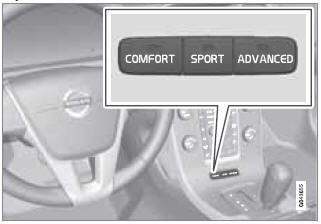
Chassis settings
Use the buttons in the center console to change setting. The setting in use when the engine is switched off is activated the next time the engine is started.
See also:
Folding the front seat backrest
The front passenger seat backrest can be folded to a horizontal position to make
room for a long load. Fold the backrest as follows:
1 - Move the seat as far back and down as possible.
2 - Adjus ...
Indicator, information, and warning symbols
Indicator and warning symbols
1 - High beam and turn signal indicators
2 - Indicator and warning symbols
3 - Information symbols
4 - Indicator and warning symbols ...
Brake Support
If the risk of collision continues to increase after the collision warning has
been given, Brake Support is activated. Brake Support prepares the brake system
to react quickly, and the brakes are ...