
Using an integrated booster cushion

Stage 1
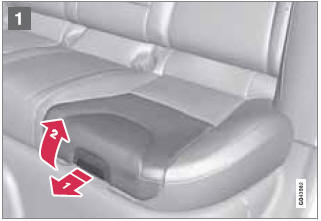
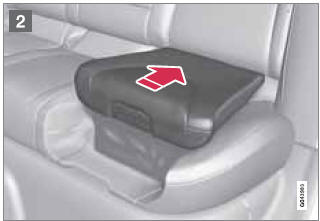
1 Pull the handle (1) forward and upward (2) to release the booster cushion.
2 Press the booster cushion rearward to lock it in position.
Stage 2
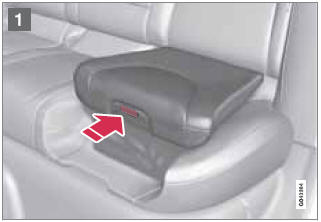
1 With the booster cushion in the stage 1 position, press the button (see the arrow in illustration 1).
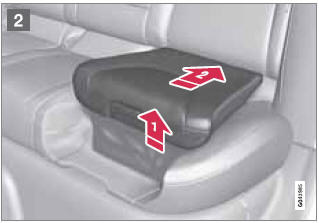
2 Lift the front edge of the booster cushion and press it rearward toward the backrest to lock it in position.
See also:
Options and accessories
Optional or accessory equipment described in this manual is indicated by an asterisk.
Optional or accessory equipment may not be available in all countries or markets.
Please note that some vehicle ...
Cargo compartment light
1. Carefully insert a screwdriver and pry out
the lens.
2. Pry out the bulb and replace it.
3. Press the lens back into place. ...
Limitations
In certain situations, the BLIS indicator light(s)
may illuminate even when there are no other
vehicles in the area monitored by the system.
NOTE
If the BLIS indicator lights illuminate occasional ...