
The alarm indicator light

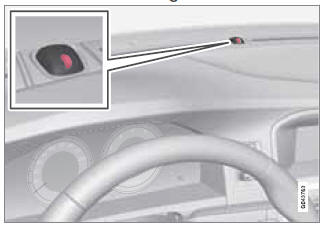
The status of the alarm system is indicated by the red indicator light on the dashboard (see illustration):
- Indicator light off – the alarm is not armed
- The indicator light flashes at one-second intervals – the alarm is armed
- The indicator light flashes rapidly before the remote key is inserted in the ignition slot and the ignition is put in mode I—the alarm has been triggered.
See also:
Folding down the rear seat backrests
The rear seat backrests can be folded down for
additional loading space, see page 88. ...
ABS with EBD (Electronic Brake ForceDistribution)
EBD is an integrated part of the ABS system.
EBD regulates the hydraulic pressure to the
rear brakes to help provide optimal braking
capacity. The brake pedal will pulsate during
braking, which ...
Audyssey MultEQ
The Audyssey MultEQ system has been used
to optimize sound quality to help ensure a
world-class listening experience. ...