
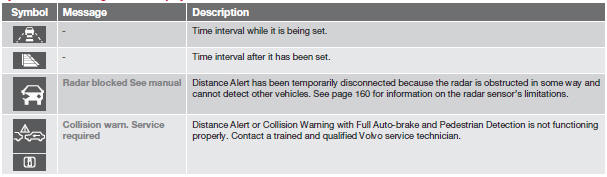
Symbols and messages in the display

See also:
Tire rotation
Your vehicle has no required tire rotation. Tire
wear is affected by a number of factors such
as tire inflation, ambient temperature, driving
style, etc.
NOTE
• If the tires are rotated, they ...
Listening to satellite radio
The Sirius satellite system consists of a number of high elevation satellites
in geosynchronous orbit.
NOTE
The digital signals from the Sirius satellites are line-of-sight, which
means ...
Functions
NOTE
If a warning message appears while you are using the trip computer, this message
must be acknowledged in order to return to the trip computer function. Acknowledge
a message by pressing ...