
General information

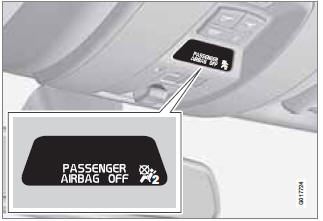
Occupant Weight Sensor (OWS) indicator light
See also:
Load carriers (accessory)
Positioning load carriers
If wing-shaped load carriers are used, make
sure that they are installed on the roof rails with
the rounded edge forward. Load carriers of this
type are identical and can ...
Using an integrated booster cushion
Stage 1
1 Pull the handle (1) forward and upward (2)
to release the booster cushion.
2 Press the booster cushion rearward to lock
it in position.
Stage 2
1 With the booster cushion in ...
Traction control (TC)
This function is designed to help reduce wheel
spin by transferring power from a drive wheel
that begins to lose traction to the wheel on the
opposite side of the vehicle (on the same axle).
TC ...