
Vehicle loading
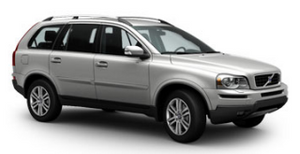
Properly loading your vehicle will provide maximum return of vehicle design performance.
Before loading your vehicle, familiarize yourself with the following terms for determining your vehicle's weight ratings, with or without a trailer, from the vehicle's Federal/ Canadian Motor Vehicle Safety Standards (FMVSS/ CMVSS) label, and the vehicle's tire information placard.
Curb weight
The weight of the vehicle including a full tank
of fuel and all standard equipment. It does not
include passengers, cargo, or optional equipment.
Capacity weight
All weight added to the curb weight, including
cargo and optional equipment. When towing,
trailer hitch tongue load is also part of cargo
weight.
NOTE
For trailer towing information, please refer to
the section "Towing a trailer."
Permissible axle weight
The maximum allowable weight that can be
carried by a single axle (front or rear). These
numbers are shown on the Federal/Canadian
Motor Vehicle Safety Standards (FMVSS/
CMVSS) label. The total load on each axle must
never exceed its maximum permissible weight.
Gross vehicle weight (GVW)
The vehicle's curb weight + cargo + passengers.
A table listing important weight limits for your vehicle, is in chapter "Dimension and weights".
For the location of the various labels in your vehicle.
Steps for Determining Correct Load Limit
• Locate the statement "the combined
weight of occupants and cargo should
never exceed XXX pounds" on your vehicle's
placard.
• Determine the combined weight of the
driver and passengers that will be riding in
your vehicle.
• Subtract the combined weight of the driver
and passengers from XXX kilograms or
XXX pounds.
• The resulting figure equals the available
amount of cargo and luggage load
capacity. For example, if the "XXX" amount
equals 1400 lbs. and there will be five
150 lb. passengers in your vehicle, the
amount of available cargo and luggage
load capacity is 650 lbs. (1400-750 (5 x
150) = 650 lbs.)
• Determine the combined weight of luggage
and cargo being loaded on the vehicle.
That weight may not safely exceed the
available cargo and luggage load capacity
calculated in Step 4.
• If your vehicle will be towing a trailer, load
from your trailer will be transferred to your
vehicle. Consult this manual1 to determine
how this reduces the available cargo and
luggage load capacity of your vehicle.
WARNING
• Exceeding the permissible axle weight,
gross vehicle weight, or any other
weight rating limits can cause tire overheating
resulting in permanent deformation
or catastrophic failure.
• Do not use replacement tires with lower
load carrying capacities than the tires
that were original equipment on the
vehicle because this will lower the vehicle's
GVW rating. Use only tires with the
correct load carrying capacity. Consult
your Volvo retailer for information.
See also:
CD/DVD functions
Center console control panel
Disc slot
MEDIA button
Eject
Number keys
TUNE:Turn to navigate among menu selections/folders/tracks.
OK/MENU: Press to confirm your selection or access the ...
Selecting a station (in wavebands AM/ FM1/FM2)
Automatic tuning
1. Press RADIO. Continue pressing this button to toggle to the desired waveband
(AM, FM1, etc.).
2. Release the button and wait several seconds or press OK/MENU.
3. Press the lef ...
Fast forward/reverse
Press and hold the buttons to
fast
forward/reverse. This is done at one speed for
audio files but several speeds can be chosen
for video files. Press the buttons
several
times to increas ...