
Getting started

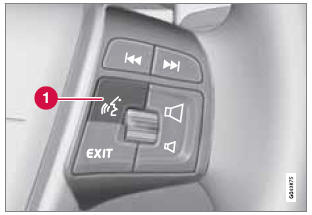
Voice control button on the steering wheel
See also:
Cargo compartment light
1. Carefully insert a screwdriver and pry out
the lens.
2. Pry out the bulb and replace it.
3. Press the lens back into place. ...
Battery
• Ensure that the battery cables are correctly
connected and tightened.
• Never disconnect the battery when the
engine is running (e.g., when replacing the
battery).
• Never use a fast charger to ...
Ignition mode functions
The various ignition modes are accessed with the remote key in the ignition slot1.
...