
Activation

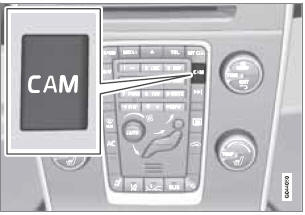
PAC is activated when the gear selector is moved to R if the system is selected in the MY CAR menu system or by pressing the CAM button in the center console. See page 133 for a description of the menu system.
If the Volvo Navigation System (VNS) is in use, PAC will automatically override the navigation system to show the camera's image on the screen instead of navigation information, for as long as reverse gear is selected.
See also:
External sound sources
USB flash drive
To simplify the use of a USB flash drive, it is
advisable to only store music files on the drive.
It will take considerably longer for the system to index the files on the drive
...
Removing a paired device
1. In Bluetooth mode, press OK/MENU.
2. Turn TUNE to Remove Bluetooth
device and press OK/MENU.
3. Select the device to be removed by turning
TUNE and confirm by pressing OK/
MENU.
> A que ...
Auxiliary equipment
Auxiliary connector
1 AUX socket (3.5 mm)
2 Audio switch AUX/RSE
If the vehicle is equipped with Rear Seat Entertainment
(RSE), an audio switch is located in
the tunnel console for switching ...