
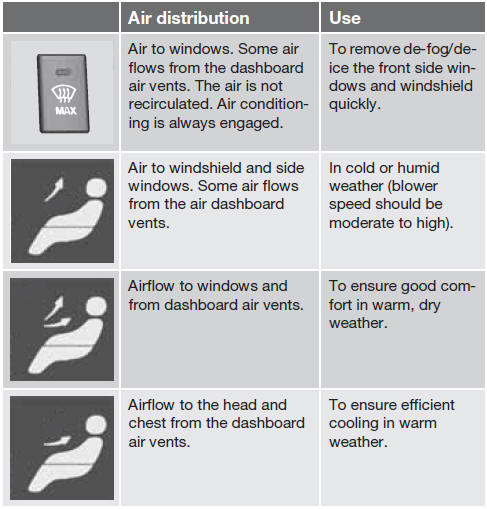
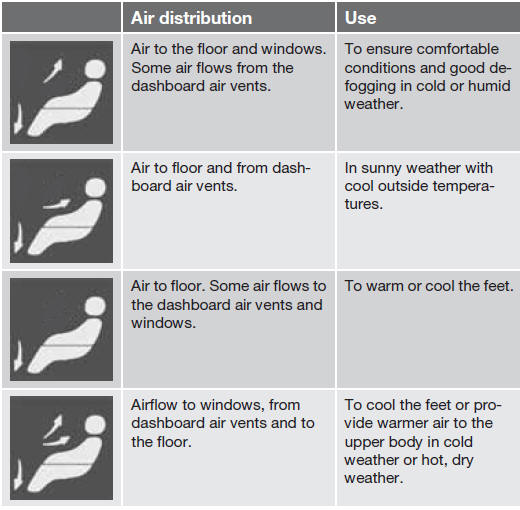
Air distribution table

See also:
Tire Pressure Monitoring System (TPMS)
The tire pressure monitoring system1 uses sensors
mounted in the tire valves to check inflation
pressure levels. When the vehicle is moving
at a speed of approximately 20 mph
(30 km/h) or faster, ...
Crash mode
Crash mode ...
Engine compartment
A - Engine compartment, upper
B - Engine compartment, front
C - Engine compartment, lower
Positions
These fuses are all located in C the engine compartment box. Fuses in are located
under A.
...