
Driver support systems

MY CAR
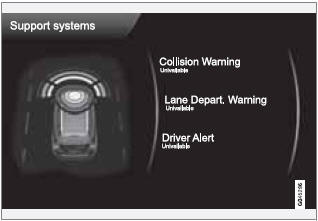
 Support systems
(MY CAR > Support systems)
The screen shows the current status (settings) for the vehicle's driver support systems.
See also:
Listening to satellite radio
The Sirius satellite system consists of a number
of high elevation satellites in geosynchronous
orbit.
NOTE
• The digital signals from the Sirius satellites
are line-of-sight, which means that
p ...
Introduction
All bulb specifications are listed on page 328.
The following bulbs should only be replaced by
a trained and qualified Volvo service technician:
• Dome lighting, reading lights
• Glove compartmen ...
Polishing and waxing
• Normally, polishing is not required during
the first year after delivery, however, waxing
may be beneficial.
• Before applying polish or wax the vehicle
must be washed and dried. Tar spots ca ...