
My XC60

MY CAR
 My XC60
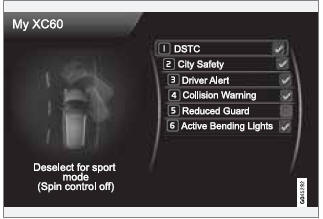
The display shows all of the vehicle's driver support systems, which can be activated/ deactivated here.
See also:
Rain sensor
The rain sensor automatically regulates wiper
speed according to the amount of water on the
windshield. The sensitivity of the rain sensor
can be adjusted moving the thumb wheel up (the wipers w ...
How HD broadcasting works
HD Radio works similarly to conventional radio and broadcasts of this type are
available in many areas of the United States. However, there are a few key differences:
Instead of transmitting one ...
Main view
Example of RADIO mode's main view
1 - Modes (e.g., RADIO, MEDIA etc.), see the following table.
2 - Source menu, e.g., (FM1, DISC, etc.).
Press and hold EXIT on the steering wheel keypad to d ...