
Label information
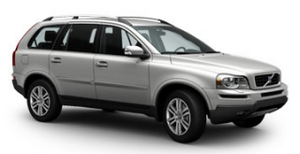
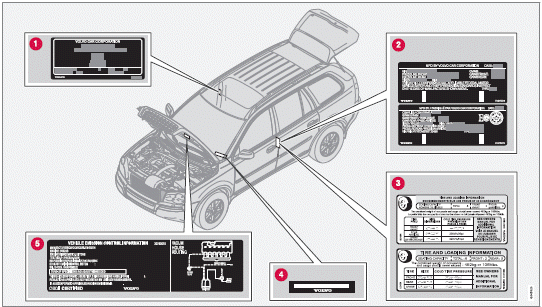
1 Model plate: includes e.g., Vehicle Identification Number (VIN), codes for color and upholstery, etc. The model plate is located on the rear side of the B-pillar (the pillar between the front and rear passenger doors) and the rear passenger's door must be open in order to see it.
2 Federal Motor Vehicle Safety Standards (FMVSS) specifications (USA) and Ministry of Transport (CMVSS) standards (Canada): Your Volvo is designed to meet all applicable safety standards, as evidenced by the certification label on the driver's side B-pillar (the structural member at the side of the vehicle, at the rear of the driver's door opening). For further information regarding these regulations, please consult your Volvo retailer.
3 Tire inflation pressures: This label indicates the correct inflation pressures for the tires that were on the vehicle when it left the factory. Canadian models have the upper decal; U.S. models have the lower one.
4 Vehicle Identification Number (VIN): The VIN plate is located on the top left surface of the dashboard. The VIN is also stamped on the right hand door pillar.
5 Vehicle Emission Control Information: Your Volvo is designed to meet all applicable emission standards, as evidenced by the certification label on the underside of the hood. For further information regarding these regulations, please consult your Volvo retailer
See also:
External sound sources
USB flash drive
To simplify the use of a USB flash drive, it is advisable to only store music
files on the drive. It will take considerably longer for the system to index the
files on the drive i ...
Styling
I've been a fan of the Volvo S40's face since it was last redesigned, and I'm
glad to see the look spreading across the Volvo brand to models like the S80 and
now the C30, which is related to both ...
Operation
Controls and display
1 Resume previous settings, increase speed (each additional press increases
speed by 1 mph (approximately 2 km/h).
2 Standby mode on/off
3 Set time interval
4 Put in activ ...