
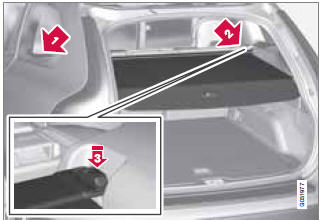
Cargo area cover

See also:
Accessing and using menus
In menu mode, you can change settings and
program new functions in the audio system.
The various menu alternatives are shown in the
display, and the current level in the menu structure
is show ...
Indicator and information symbols
Fault in
the Active Bending Light
(ABL) system
This symbol will illuminate if the there is a fault
in the ABL system. See page 93 for more
information about this system.
Malfunction ...
Active chassis (Four C)
Active chassis, Four-C (Continuously Controlled Chassis Concept), regulates the
characteristics of the shock absorbers so that the car's driving characteristics
can be adjusted. There are thre ...