
Signals from the park assist system

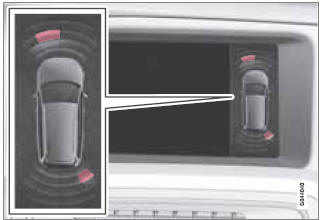
View in the display (warning for objects front left/right rear)
See also:
The alarm indicator light
The status of the alarm system is indicated by the red indicator light on the
dashboard (see illustration):
Indicator light off – the alarm is not armed
The indicator light flashes at one-se ...
Inserting and removing the remote key
Ignition slot with remote key and START/STOP ENGINE button.
Inserting the remote key1
Holding the end of the remote key with the base of the key blade, insert the
remote key into the ignition sl ...
Minor scratches on the surface
If the stone chip has not penetrated down to
the metal and an undamaged layer of paint
remains, the touch-up paint can be applied as
soon as the spot has been cleaned. ...