
Operation

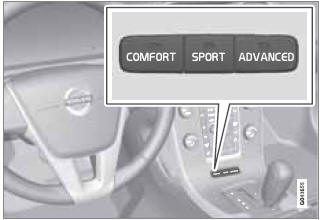
Chassis settings
Use the buttons in the center console to change setting. The setting in use when the engine is switched off is activated the next time the engine is started.
See also:
Suspension
The advanced, independent suspension system employs spring struts at the
front, the geometry of which has been carefully calculated to provide quick and
precise steering response, enhancing the ca ...
Infant seats
Securing an infant seat with a seat belt
Do not place the infant seat in the front passenger's seat
NOTE
Refer to page 47–48 for information on
securing a child restraint using ISOFIX/LATCH low ...
Blind Spot Information System
1 BLIS camera
2 Indicator light
3 BLIS symbol
The Blind Spot Information System (BLIS) is an
information system that indicates the presence
of another vehicle moving in the same direction
as y ...