
Introduction
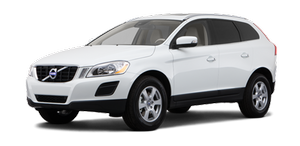
The Park Assist Camera uses the display in the center console to show the area behind the car while you are backing up.
PAC also shows guiding lines in the on-screen image to indicate the direction that the vehicle will take as it moves rearward, which helps simplify parallel parking, backing into a tight space or when attaching a trailer to the vehicle.
WARNING
• PAC is designed to be a supplementary
aid when parking the vehicle. It is not,
however, intended to replace the
driver’s attention and judgment.
• The camera has blind spots where it
cannot detect objects or people behind
the vehicle.
• Pay particular attention to people or animals
that are close to the vehicle.
See also:
Checking the engine oil
The oil level should be checked at regular intervals,
particularly during the period up to the
first scheduled maintenance service.
• See page 356 for oil specifications.
• Refer to the Warranty ...
Infant seats
Securing an infant seat with a seat belt
Do not place the infant seat in the front passenger's
sea
NOTE
Refer to page 48 and page 50 for information
on securing a child restraint using
ISOFIX/ ...
Cleaning the interior
Only use cleaning agents and car care products recommended by Volvo. Clean regularly
and follow the instructions included with the car care product.
Upholstery care
Fabric
Clean with soapy water ...